Can you save during a mission?
Yes, Quasimorph lets you save mid mission with Save and quit, then resume at the point where you stopped. You can take a break without completing an entire deployment in one sitting. However, saving an unfinished mission does not give you a guaranteed way to reverse a death.
A moderator-marked answer in a Steam Community discussion about mid-game saving confirms that the option saves your progress where you leave off. You do not need a mod simply to stop playing and continue the mission later.
The distinction matters because “saving” can describe several different goals:
| What you want to do | Relevant option | What to expect |
|---|---|---|
| Take a break during a mission | Save and quit | Preserve your stopping point and resume later |
| Finish the deployment and bring loot home | Extraction | Resolve the mission through its extraction rules |
| Save through a console command | Optional save-command mod | Requires the developer console dependency |
| Undo a fatal encounter | Not guaranteed by Save and quit | Saving does not promise recovery after death |
For ordinary breaks, the built-in option is enough. You do not have to reach the end of a floor or finish the objective before using it.
Think of Save and quit as a way to divide one deployment across multiple play sessions. Returning later continues that deployment; it does not automatically turn the items you are carrying into safely extracted loot.
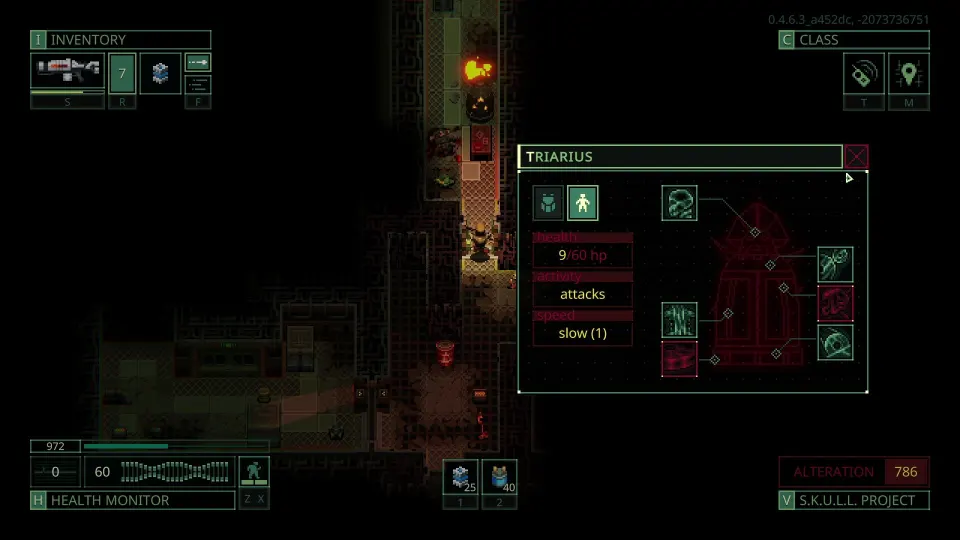
How to stop a mission and resume later
Use the game's explicit saving option when you need to leave. The process is straightforward:
- Find Save and quit in the game menu. Use this option when you are ready to stop your session.
- Select it to preserve your current progress. The confirmed behavior is saving at the point where you leave.
- Return to the game when you are ready. Resume your saved game to continue the unfinished mission.
- Reorient yourself before taking another action. Check your situation so that your first move reflects what was happening before the break.
You do not need to install the Official Developer Console Mod or enter a command for this workflow. Those tools concern additional saving and reloading controls, which are separate from the normal menu option.
Before leaving, it can help to remember your immediate plan. Perhaps you were heading toward an elevator, looking for an objective item, or preparing to deal with an enemy behind a door. Saving preserves the stopping point, but remembering your plan makes the return less confusing.
When you resume, a short check can prevent an avoidable mistake:
- Review your health and any injuries that need attention.
- Check ammunition and the condition of the equipment you intend to use.
- Identify nearby threats and the route you were following.
- Confirm whether your objective is complete or still requires work.
These are practical reminders, not conditions that must be met before saving. Quasimorph's equipment can wear down during a mission, and its combat rewards careful movement, so a brief review is useful after a long break.
Saving and quitting is not extraction. If your reason for leaving is simply that you have run out of time to play, save your session. If your goal is to secure the mission's loot, you still need to handle extraction.
What saving means for death and reloads
Quasimorph's extraction structure makes survival consequential. Dying on a mission costs the equipment you brought along, while surviving and extracting lets you retain your haul. Save and quit provides a stopping point for another session; it does not promise that you can reload that point after every bad outcome.
This distinction explains why discussions about taking a break often become mixed with discussions about “save scumming.” The first means preserving an ongoing session. The second means returning to an earlier state to change an outcome.
Older community reports about reloading describe force-closing the game before death to return to an earlier saved state. Reports mention the beginning of a level or an elevator transition, rather than necessarily the precise moment before closing.
| Community-reported action | Reported result | Important limitation |
|---|---|---|
| Force-close before a fatal action | Return to an earlier saved state | The reported stopping point varies |
| Force-close after death | Return to the Magnum with the clone dead | Death may already be recorded |
| Copy save files before a mission | Restore an earlier backup later | This is an external file workflow |
| Use Save and quit normally | Continue from the saved stopping point | It does not establish a reusable recovery slot |
These reports should not be treated as dependable instructions for every version. The same discussion includes corrections explaining that an older trick involving closing the game after death had been patched.
For a routine break, use Save and quit instead of relying on Alt+F4. Force-closing does not offer the same explicit instruction to preserve your current progress.
Also, do not mistake a saved mission for a safe mission. Resuming does not remove the encounter that made you stop. If you were poorly equipped or facing a dangerous enemy, you still need to solve that problem when play continues.
Optional save commands and their limits
Players who want additional controls may encounter the Workshop utility Save and Exit Without Save Commands. Its description lists commands for saving, leaving without saving, and reloading the existing save.
The utility is unnecessary if your only goal is to pause a deployment and return later. Its additional commands are more relevant when testing situations or deliberately managing when progress is written.
| Command | Described function |
|---|---|
save | Save the current game on demand |
exit-no-save | Exit the current game without saving |
reload-save | Reload the current save without saving first |
rs | Short alias for reload-save |
The author describes these controls as useful for repeating a test scenario, such as experimenting with enemies or spawned items. That purpose helps explain the difference between this utility and the game's normal Save and quit option.
The mod requires the Official Developer Console Mod. Its usage instructions say to open the console with the backtick key, type a command, and press Enter. Without the required dependency, those instructions are incomplete.
There are also important limits to consider:
| Requirement or warning | What it means for the player |
|---|---|
| Developer console dependency | The command utility requires another mod |
| Console achievement warning | The author warns that using console commands disables achievements |
| Conflicting compatibility information | The listing shows a 1.0 compatibility tag alongside an incompatibility notice |
| Workshop removal notice | Availability should not be assumed from the description alone |
Because the Workshop page displays both removal and incompatibility notices, check its status and instructions before depending on it. A compatibility tag by itself does not resolve those notices.
One command-name detail is especially easy to miss: reload is not reload-save. The mod author explains that the base game's unrelated reload command reloads the player's gun. Use the full save command or its documented alias when referring to the utility's reload function.
Finally, these commands do not establish that a dead clone can be recovered. Reloading an existing save is only useful for reversing an event if that save still contains the earlier state.
FAQ
What is the answer to “quasimorph can you save mid mission”?
Yes. Select Save and quit to preserve your stopping point and continue the mission later. The built-in option addresses the practical problem of needing to stop playing before a deployment is finished. No console mod is required for that purpose.
Do you have to finish the objective before saving?
No. The accepted Steam Community answer describes Save and quit as available during gameplay, saving where you leave off. Completing the objective and meeting extraction conditions concern finishing the deployment, rather than taking a break from it.
Does saving mid mission secure your loot?
Saving preserves your progress so you can return to the deployment. It does not count as extracting your carried items. You still face the mission's remaining risks after resuming, including the possibility of losing equipment if the clone dies.
Can you reload after dying?
Do not count on it. Community reports say death can already be saved before force-closing the game helps, and players specifically describe returning to the Magnum with their clone dead. Save and quit should not be treated as a guaranteed checkpoint you can restore after a fatal encounter.
Is Alt+F4 the same as Save and quit?
No. Save and quit explicitly saves your stopping point. Alt+F4 is a force-close workaround discussed by players, with reports of returning to earlier floor or elevator states. Those reports also describe failed attempts after death, making it unsuitable as your normal method of preserving progress.
Do you need a mod to save without ending the session?
The Workshop utility describes a save command for saving on demand. It requires the Official Developer Console Mod, and using console commands carries an achievement warning. For stopping now and continuing later, the ordinary Save and quit option already provides the relevant function.