How selling items works
To sell items in Quasimorph, find a station that currently requests those goods and exchange them through its barter interface. Accepted goods can earn faction credit, which you spend at stations belonging to that faction once your reputation allows direct purchases. There is no general vendor where you can unload every spare gun, armor piece, and crafting component.
An item's displayed value does not guarantee that any station will accept it. Station demand determines what you can exchange, while reputation affects your access to purchases. Prices can also change as stations consume resources and produce goods.
Find a station that wants your items
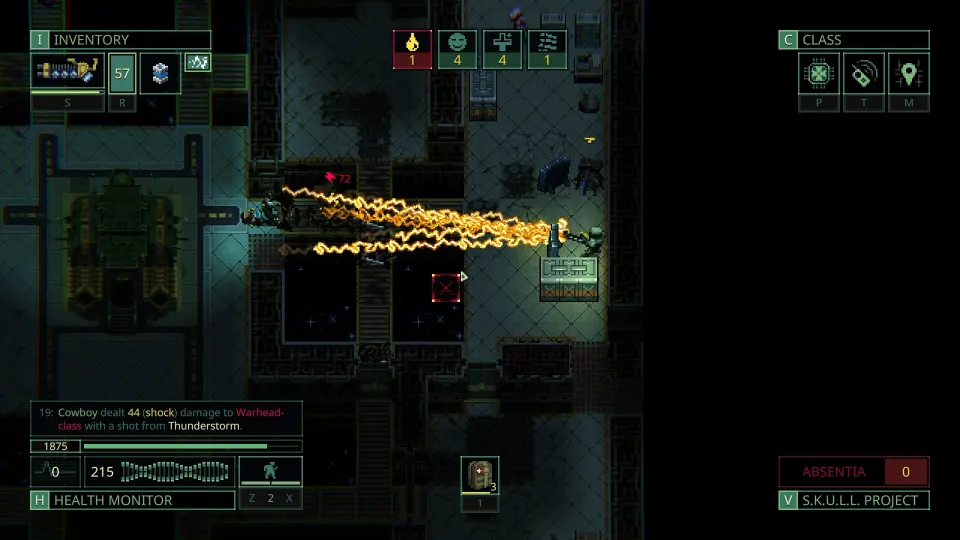
Start on the orbital map and inspect station tooltips. These show the goods each station currently accepts. Stations belonging to the same faction can request different items, so checking one location does not tell you everything that faction will buy.
Use the Stock Exchange to compare trading opportunities. The official Quasimorph Wiki identifies its second tab as the place to inspect current barter prices and their movement. This helps you decide where to trade materials instead of assuming their displayed value is a guaranteed offer.
| What to check | Where to check it | Why it matters |
|---|---|---|
| Accepted goods | Station tooltip | Only requested items can be exchanged there. |
| Current prices | Stock Exchange, second tab | Barter values change with supply and demand. |
| Available purchases | Station barter interface, second tab | Shows the stock available at that location. |
| Station owner | Station information | Determines which faction receives the trade and holds your credit. |
Follow this sequence before traveling:
- Identify the item you want to exchange.
- Find a station that lists it among its accepted goods.
- Check the owning faction and its available stock.
- Reserve anything needed for missions, crafting, or your next ship upgrade.
- Bring only the surplus you intend to trade.
Recheck demand before committing a large batch. Accepted goods change over time, and a station that wanted your materials earlier may no longer want them. Likewise, the faction offering the highest price is not automatically the best choice if you need equipment from another faction.
Exchange goods and spend faction credit
Open the station's trading interface and place accepted goods into the exchange area. Review the offer before confirming. If an item is not accepted, compare it with the station's current requested goods rather than assuming every item of similar value qualifies.
With sufficient faction reputation, the first barter tab exchanges goods for faction credit, while the second lets you choose purchases from station inventory. Your balance belongs to that faction. Selling to one corporation does not create spending money for every other corporation.
| Trading element | What it does | Practical consequence |
|---|---|---|
| Accepted goods | Provide value through an exchange | Find a station requesting your exact items. |
| Faction credit | Records value with the receiving faction | Spend it at stations owned by that faction. |
| Reputation | Controls access to direct purchases | Credit alone may not unlock item selection. |
| Station inventory | Determines available purchases | Check stock before building a large balance. |
If you want to trade without entering stations, enable Fast Trading in the settings. This removes the need to perform every exchange through a physical station visit.
Older walkthroughs describe a more hands-on process: deploy with goods in your character's inventory, locate station cargo, deposit accepted items, and press the exchange button. The guide written for version 0.6.2 also describes randomized rewards. Treat those instructions as version-specific rather than expecting every current trade to immediately produce random equipment.
Receiving credit without an item does not necessarily mean the exchange failed. Check your faction balance, purchasing access, and the cost of what you want. You may have successfully exchanged goods but still lack enough reputation or credit to make the desired purchase.
Decide what to sell, keep, or dismantle
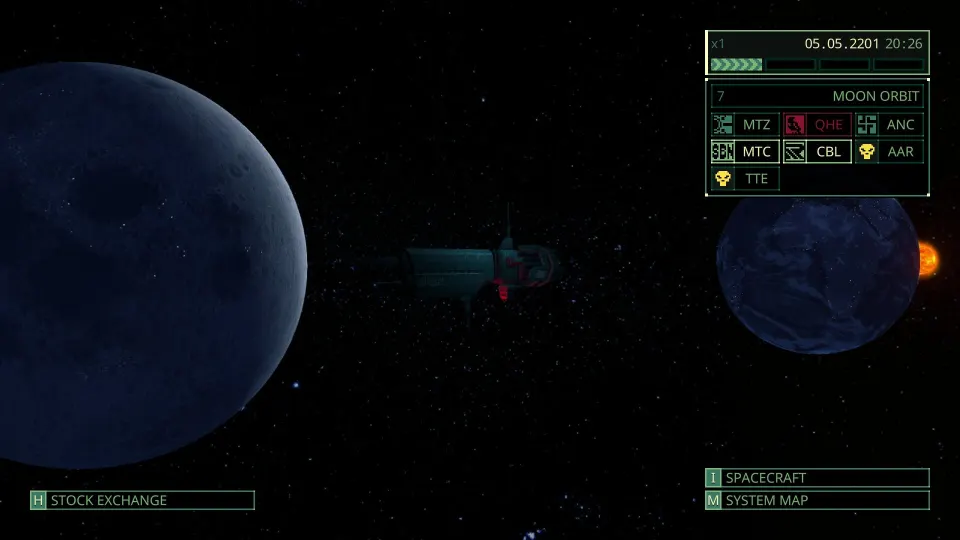
Sort your inventory before opening a trade. The best candidate is an item you can spare that a station currently requests. A high displayed value is less useful than a confirmed buyer, especially when the item also serves a mission or upgrade purpose.
Weapons and armor require particular care. Do not assume ordinary spare equipment can be sold directly. Check station demand first; if the equipment is not wanted and you do not need it, dismantling can provide materials for crafting or a later trade.
| Item category | Usually worth keeping when | Trading approach |
|---|---|---|
| Mission items | The contract requires their return | Separate them from ordinary surplus. |
| Production and mercenary mind chips | They provide an unlock you still need | Prioritize permanent progress over barter value. |
| Magnum components | They complete your next planned upgrade | Reserve the required quantity before selling extras. |
| Common crafting materials | They support current recipes or supplies | Exchange surplus only where requested. |
| Spare weapons and armor | They improve a loadout or provide a useful backup | Check demand; otherwise consider dismantling. |
Unload ammunition before dismantling or discarding a weapon. Then compare the equipment with what your operators already use. A dependable backup can be worth more than its potential salvage, while several inferior duplicates can occupy space without helping your next mission.
Dismantling is not a guarantee of sale. The resulting parts still need a buyer. You can also use recovered materials to craft something a faction requests, but check the recipe and demand before committing resources.
During missions, protect the objective, permanent unlocks, and supplies needed to extract. Trading loot becomes worthwhile after those needs are covered. Carrying an extra commodity home is a poor bargain if it forces you to abandon a required item or leave behind medicine you still need.
Fix common trading problems
| Problem | Likely explanation | What to check |
|---|---|---|
| A station rejects an item | It does not currently request that item | Compare it with the station tooltip. |
| Spare guns cannot be exchanged | The station has no demand for those weapons | Keep useful gear or consider dismantling it. |
| A trade gives credit but no equipment | The exchange added value without completing a purchase | Inspect your balance and purchasing access. |
| Credit cannot be spent elsewhere | The other station belongs to a different faction | Find a station owned by the faction holding your balance. |
| A previous offer has changed | Demand, prices, or available stock has shifted | Recheck the station and Stock Exchange. |
Avoid solving every issue by handing over more materials. Additional goods may increase your balance, but they do not automatically resolve missing reputation or unavailable stock. First identify whether the obstacle is acceptance, purchasing access, price, or inventory.
Watch your faction relations after accumulating credit. According to the official bartering page, dropping below zero reputation with a faction removes your accumulated barter points with it. That makes a large unused balance vulnerable if your future contracts damage that relationship.
FAQ
What is the quickest answer to “quasimorph how to sell items”?
Hover over stations to find one requesting your goods, open its barter interface, and exchange the accepted items. Use the resulting faction credit at stations owned by that faction. Directly selecting purchases requires sufficient reputation. Enable Fast Trading if you want to avoid entering stations for exchanges.
Can you sell every weapon and armor piece?
No general vendor accepts all unwanted equipment. A weapon is a trading candidate only when a station actually requests it. Keep useful upgrades and backups; consider dismantling unwanted duplicates for parts. Those parts can support crafting or trading, depending on current station demand.
Why did I receive credit instead of items?
Exchanging goods and purchasing equipment are separate parts of trading. Your goods can add faction credit without immediately producing an item. Check whether you have access to direct purchases, whether your balance covers the price, and whether the station has the item in stock.
Can I spend faction credit at another station?
Yes, provided that station belongs to the same faction and you meet the purchasing requirements. Credit is faction-specific, so it does not transfer into a universal wallet. Different stations can carry different stock, making another location useful when your preferred item is unavailable.
Should I sell expensive components early?
Check their purpose first. A component needed for your next Magnum upgrade can be more useful than its exchange value. Reserve mission items, needed unlocks, immediate upgrade components, and essential supplies before trading. Sell genuine surplus after confirming both the buyer and what you intend to obtain with the credit.